

Blog
What is a RFID card printer?
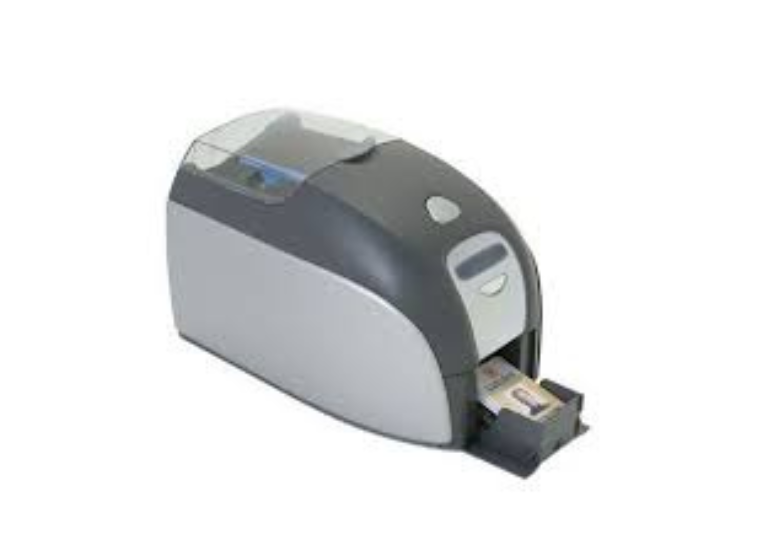
An RFID card printer is a dedicated device that carries out two functions at once: it produces high-quality visual content (such as images, names, and logos) on a plastic card while also electronically encoding information into an embedded RFID chip within that card.
In contrast to a conventional desktop printer, these devices are specifically engineered for plastic (PVC) cards and are equipped with an internal radio frequency encoder.
How It Works: The “Dual-Function” Method
When you submit a print job to an RFID card printer, the device adheres to a coordinated route.:
-
Visual Printing: The printhead uses heat to transfer ink from a ribbon onto the card surface (using either Direct-to-Card or Retransfer technology).
-
Electronic Encoding: As the card moves along the internal track, it halts at a designated “encoding station.” An internal antenna generates a minor electromagnetic field that energizes the card’s chip and records the data you have provided (for instance, an encrypted employee ID or a balance for a payment card).
-
Verification: Most professional printers will immediately “read” the chip back to ensure the data was written correctly before dispensing the card.
Key Components of an RFID Printer
- Printhead: The element that applies the colors and text.
- RFID Encoder: The “brain” that communicates with the chip.
- Antenna: The bridge that sends radio waves to the card.
- Smart Card Station: A designated section on the printer track where the card is securely positioned to guarantee a stable connection throughout the data transfer process.
Direct-to-Card (DTC) vs. Retransfer
Selecting the right RFID printer is the most crucial decision, particularly if your cards feature “bumps” caused by the internal chips.
| Technology | Process | Ideal For RFID? |
| Direct-to-Card (DTC) | The printhead touches the card directly to apply ink. | Standard Cards. If the internal chip causes a tiny bump, the printhead might skip over it, leaving a white spot or “ghosting.” |
| Retransfer | Prints the image onto a clear film first, then fuses that film to the card. | Smart Cards. As the printhead does not make contact with the card, it achieves flawless printing over embedded chips and ensures genuine edge-to-edge coverage. |
Common Frequencies Supported
RFID card printers are usually modular, meaning you can choose which “encoder” to install based on the frequency your cards use:
- Low Frequency: Used for basic HID Prox cards (simple door access).
- High Frequency: Used for secure smart cards like MIFARE, DESFire, and HID iCLASS.
- Ultra-High Frequency (UHF): Used for long-range tracking, such as vehicle gate access or “walk-through” attendance.
What is the reason for utilizing a single option?
Without an RFID printer, you would have to print a card and then manually program it using a separate USB desktop reader. A dedicated printer:
- Saves Time: Prints and encodes in roughly 20–30 seconds.
- Reduces Errors: Ensures the visual ID on the card matches the digital ID inside the chip.
- Security: Allows you to add encryption keys that are never handled manually by staff.
Popular Models
- Evolis: Primacy 2 : It is a modular and versatile).
- HID FARGO: Top most best printer is HDP5000e, HDP6600 (High-security retransfer).
- ZEBRA: ZC300, ZXP Series 7 (High-speed industrial printer)
- What are HID FARGO Card Printers used for?