

Blog
Driver HID FARGO HDP6600 for Windows
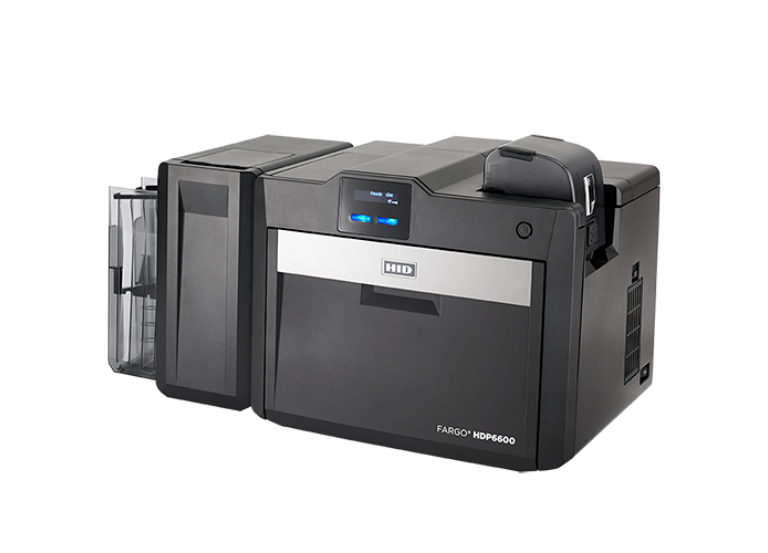
The HID FARGO® HDP6600 Card Printer & Encoder is fast and feature-rich retransfer card printing solution. The NEW Dual-Sided HDP6600e produces high-definition badges in as little as 16 seconds per card. That delivers up to 230 cards per hour in batch mode.
The printer driver for the HID FARGO HDP6600 High Definition Card Printer is essential for ensuring your Windows computer can communicate with the printer for high-quality card issuance.
The most reliable source for the latest drivers is always the official HID Global website or a trusted, authorized distributor’s support page.
-
The FARGO Workbench Utility: This is a free diagnostic and maintenance tool provided by HID. It is highly recommended, as it allows you to:
- Easily check and update the printer’s firmware
- Run diagnostic tests and view the printer’s status
- Access card count and ribbon usage reports
Installation Steps Overview
While the exact links change, the installation process usually follows these steps:
-
Download: Download the latest HDP6600 driver package for Windows from the official HID support page or an authorized distributor
-
Preparation: Do NOT connect the printer to your computer yet. If it is already connected, disconnect the USB cable.
-
Run Installer: Double-click the downloaded
.exefile to begin the installation wizard. -
Connect: The installer will prompt you when it is time to connect the HDP6600 to your PC via USB or when it searches for the printer on the Ethernet network.
-
Finish: Follow the on-screen instructions to complete the setup and restart your computer if prompted.