

Blog
How to clean a FARGO HDP5000 Printer?
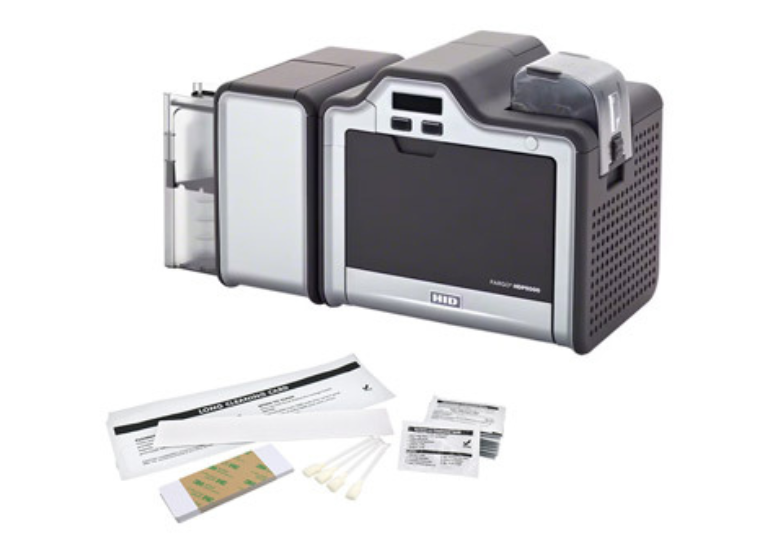
To clean a FARGO HDP5000 printer, use the official FARGO Cleaning Kit (Part Number 089200) , which includes:
- Adhesive cleaning cards
- Long alcohol cleaning cards
- Printhead cleaning swabs
- Cleaning pads
Perform this cleaning cycle every 1,000 to 3,000 cards or whenever you replace the ribbon.
Step 1: Prep the Printer
- Open the printer covers and remove all cards, film, and laminate cartridges.
- Power down and disconnect the printer’s power supply before cleaning the printhead.
Step 2: Clean the Card Path and Rollers
- Peel the backing from an adhesive cleaning card (keeping any magnetic encoder strip intact if applicable) and load it into the input hopper
- Navigate via your computer to Devices and Printers > HDP5000 Card Printer > Printing Preferences > Toolbox > Clean Printer, and click Clean to automatically run the card through.
- For deeper roller cleaning, insert a long alcohol cleaning card, hold it while toggling the Forward and Back buttons on the printer for 10 seconds each, then feed it all the way through.
Step 3: Clean the Printhead and Exterior
- With the power disconnected, use a saturated printhead cleaning swab to firmly wipe the printhead surface, then let it dry.
- Wipe the exterior casing using a cleaning pad (avoiding solvents), reinstall your ribbons and cartridges, reconnect power, and print a test card.