

Blog
How to use a 4500 Fingerprint Reader?
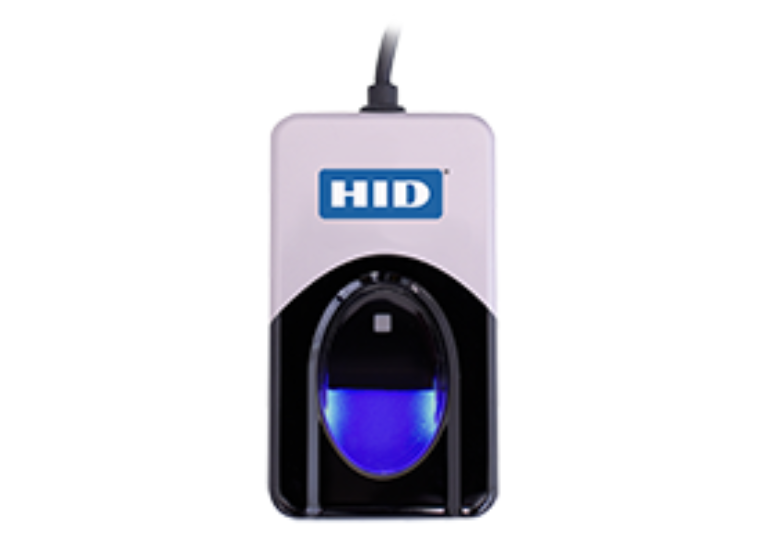
To operate a DigitalPersona 4500 fingerprint reader, begin by connecting the USB device to a computer and installing the necessary driver / software, which will result in the sensor emitting a blue light.
Position your finger flat on the sensor; a red flash signifies a successful capture, and the reader accommodates 360-degree positioning.
1. Installation and Setup
- Plug and Play: Connect the 4500 reader to a USB port. While some systems may detect it automatically, you generally need to install specific drivers provided with your application software.
- Driver Installation: Download the required drivers (e.g., DigitalPersona WBF driver for Windows Hello or specific OEM software).
- Verify Connection: A blue LED light indicates the scanner is active and ready.
2. Enrolling Fingerprints
- Open Software: Launch the application you are using with the reader (e.g., identity management software or a time-tracking app).
- Enrollment: Follow the on-screen prompts to “register” or “enroll” your finger.
- Scanning: Place your finger on the sensor. You may need to do this multiple times for the software to map your fingerprint, requiring you to maintain a steady position until the software confirms a successful, complete scan.
This video demonstrates how to add a fingerprint for security on an Android device:
3. Using the Reader for Authentication
- Positioning: Place the pad of your finger flat on the sensor.
- Recognition: The 4500 uses optical technology for 360-degree recognition, so you can place your finger in any direction.
- Feedback: The device will flash red to confirm it has scanned and sent the data for verification.
Best Practices for Accuracy
- Surface Care: The reader works well with dry, moist, or rough fingerprints, but it is best to ensure your finger is clean.
- Pressure: Apply gentle, steady pressure on the illuminated area.
Note: The DigitalPersona 4500 must be used in conjunction with software, such as the HID DigitalPersona Biometric SDK or third-party time-tracking solutions like