

Blog
What is DPI on a label printer?
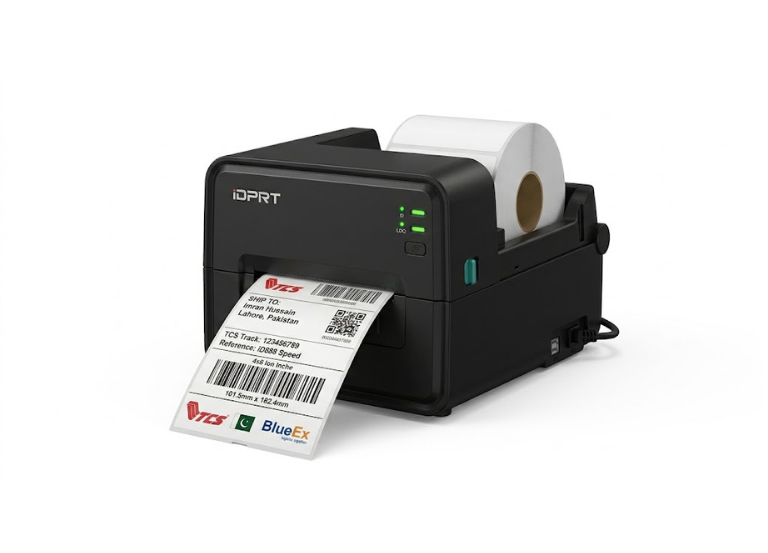
DPI stands for Dots Per Inch. In the world of thermal printing, it is the measurement of “print resolution”—essentially how many tiny heating elements (dots) are packed into one inch of the printer’s head.
- The higher the DPI, the sharper and more detailed your label will be.
- For your business in 2026, understanding this helps you match the right printer to a client’s specific labeling needs.
The Three Standard DPI Levels
| DPI | Quality Level | Best Use Case |
| 203 DPI | Standard | The Industrial Workhorse. Perfect for standard 4×6 shipping labels (Daraz/TCS), large text, and simple barcodes. This is the native resolution of your iDPRT iD888. |
| 300 DPI | High Detail | The Retail Choice. Ideal for smaller labels (e.g., jewelry tags or medicine bottles) and high-density QR codes. The text remains sharp even at 6pt font. |
| 600 DPI | Ultra Precision | The Specialist. Used for tiny electronics components (PCB labels) or luxury items where micro-text and intricate logos are mandatory for compliance. |
Why DPI Matters for Your Business
As a seller of iDPRT and HPRT printers, here is how you should explain DPI to your clients:
-
Barcode Scannability: If a barcode is too small and printed at a low DPI (203), the bars might “bleed” into each other, making it unreadable by scanners. High DPI (300+) ensures the “white space” between bars is crisp.
-
Print Speed vs. Quality: There is usually a trade-off. A 203 DPI printer (like the iD888) can print much faster (8 inches per second) because the processor has fewer “dots” to calculate per second compared to a 600 DPI machine.
-
Cost Efficiency: 203 DPI printheads are the most affordable to replace.
iDPRT iD888
Your iDPRT iD888 operates at 203 DPI. While some might think “higher is always better,” 203 DPI is the industry standard for logistics. It allows the iD888 to reach that blistering 8ips speed, which is exactly what a high-volume warehouse in Lahore needs to clear a backlog of orders.