

Blog
Ribbon RFID Error Number 100
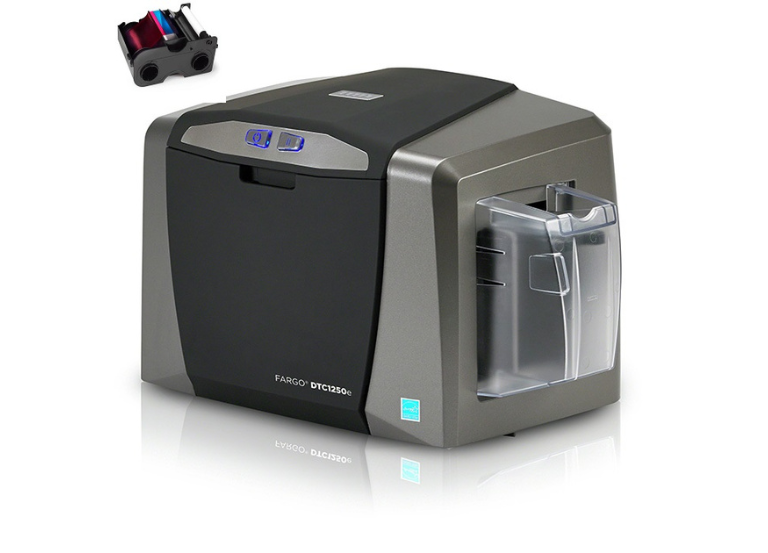
The Ribbon RFID Error Number 100 signifies that:
- The printer cannot recognize the ribbon
- The information on the ribbon’s RFID tag is either corrupted or incorrect.
- This issue often arises in printers like the FARGO DTC series (DTC1250e, DTC4250e, DTC5500LMX).
Troubleshooting Steps
Follow these following steps to solve this problem:
- Verify the ribbon installation: To reslove Ribbon RFID Error Number 100, please ensure the ribbon cartridge is correctly and securely seated in the printer’s ribbon holders.
- Check the ribbon type: Make sure you are using the correct type of ribbon that is compatible with specific printer model and the media selected in the driver settings.
- Try a new ribbon: The error might be due to a faulty or corrupted RFID chip on the current ribbon. Install a new, genuine manufacturer-approved ribbon to see if the problem persists
- Calibrate the ribbon sensor: The printer’s ribbon sensors might need calibration to correctly detect the new ribbon. You can usually do this through the printer driver’s “Toolbox” or “Printing Preferences” menu.
- Clean the ribbon sensor/chip: Dust and debris can obstruct the printer’s optical sensors or interfere with the RFID reader’s ability to read the chip. Gently clean the ribbon cartridge chip with an alcohol-moistened swab and check the sensor area inside the printer for any obstructions.
- Update firmware/drivers: Outdated printer firmware or drivers can sometimes cause communication issues. Check the manufacturer’s website for the latest versions and update if necessary.
- Restart the printer: Power cycle the printer (turn it off, wait a few moments, and turn it back on) to reset the system.
- HID FARGO DTC1250e Consumables Specifications Sheet
- HID FARGO Printer Error 88