

Blog
How to Reboot DTC1250e Printer?
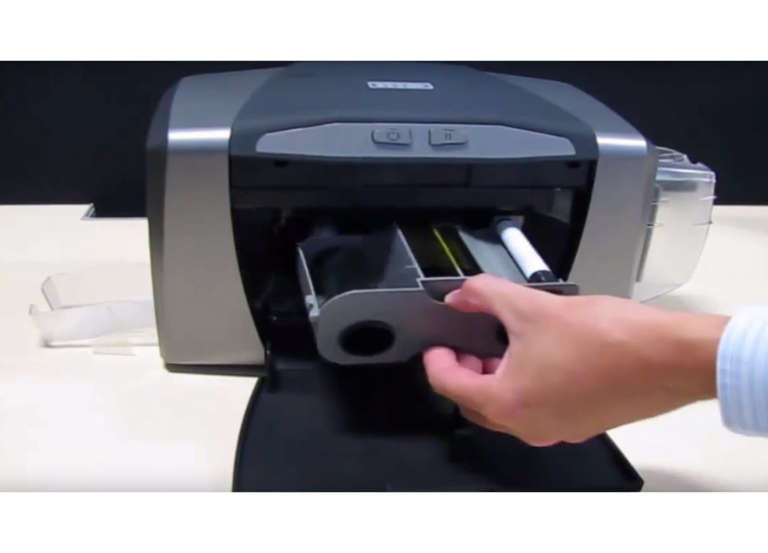
Restarting an HID FARGO DTC1250e is a simple procedure; however, the “optimal” method varies based on whether you are merely rebooting the device or attempting to resolve a recurring error.
Standard Reboot (Physical Button)
For a routine restart, use the power button located on the front control panel.
- Press the Power Button: Press once to turn the printer off. The blue light should turn off
- Wait: Wait about 10 seconds to allow the internal capacitors to discharge
- Power On: Press the power button again. The printer will initialize, and the motors will whir as it aligns the ribbon and card path
“Hard” Reboot (Power Cycle)
If the printer is frozen or the power button is unresponsive, perform a manual power cycle.
-
Unplug the Power: While the printer is still “on,” pull the power cable directly from the back of the device
-
Disconnect USB/Ethernet: Remove the data cable to ensure no residual power is being drawn from the computer
-
Wait 30 Seconds: This ensures the internal memory is fully cleared
-
Reconnect: Plug the power cable back in first, followed by the data cable. The printer should start automatically
📞 For details and order: +92-303-333-1193
Resetting from an Error State
If your printer is flashing a Red LED (Pause button), you may not need a full reboot:
-
To Cancel a Job: Press the Power button once. This cancels the current print job and returns the printer to a “Ready” state
-
To Retry a Job: Press the Pause button. This tells the printer to try the failed action again (useful after clearing a card jam or replacing a ribbon)
Advanced Software Rebot (Ethernet Models)
If your DTC1250e is equipped with an internal print server (Ethernet), you can reboot the network card specifically via the FARGO Workbench Utility:
- Open FARGO Workbench on your PC
- Select your printer from the list.
- Navigate to the Diagnostics or Admin tab
- Look for a Reboot or Restart command to refresh the network connection without walking to the printer